Website Typography: Fonts That Build Trust and Fonts That Hurt You
 By Codeventure Infotech
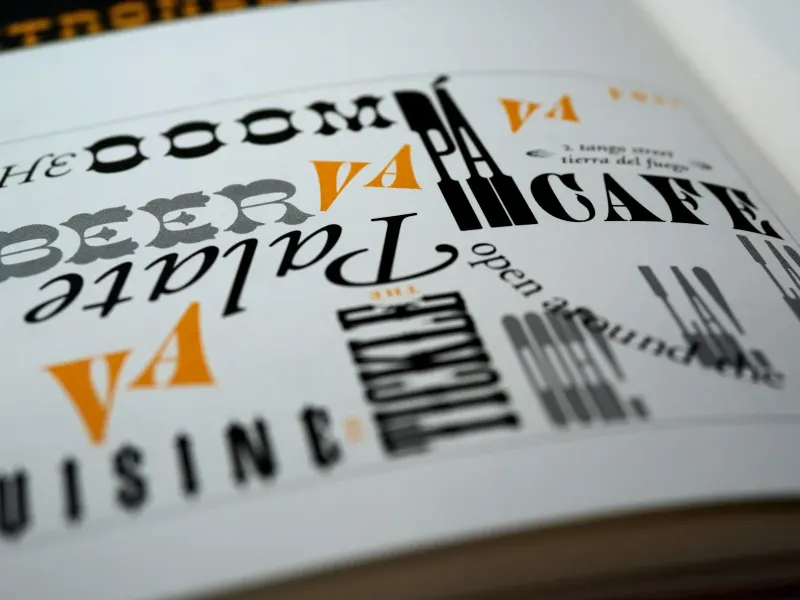
Nobody lands on a website and thinks “what lovely typography”. Good type is invisible: it reads easily and feels right for the business. Bad type, on the other hand, registers immediately, even when the visitor can’t explain why the site feels a little off.
Readability before personality
A distinctive font can look great in a logo, but if it’s hard to read at paragraph size it works against you. Visitors skim instead of reading, or leave instead of squinting. Keep characterful fonts for headings and short labels; body text should put clarity first.
Stick to two font families
Use one font for headings, something with a bit of character, and one for body text that’s clean and easy to read on screen. More than two fonts on a page tends to look chaotic, even if each one is fine on its own.
Font pairings that work
- A geometric or humanist sans-serif for headings: clean, modern and suitable for most industries.
- A highly legible sans-serif for body text: designed for small sizes on screens, not decoration.
- A serif heading with a sans-serif body: a classic pairing that feels established rather than trendy.
If your site also uses Hindi, Gujarati or another Indian script, choose a font family that includes it (Google Fonts has good options), so both languages look like they belong together.
Size and spacing matter as much as the font
Body text smaller than about 16px is genuinely hard to read for many visitors, especially on phones. Lines packed too tightly make paragraphs feel heavy; too much space makes them feel disconnected. These spacing mistakes are more common than choosing the “wrong” font.
What looks unprofessional instantly
- Default browser fonts left unstyled, which makes a site look unfinished.
- Decorative script fonts used for whole paragraphs.
- Lots of different weights and styles used inconsistently from page to page.
- Text so small that mobile visitors have to pinch and zoom.
Match the type to your industry’s tone
A law firm, CA practice or financial adviser benefits from a restrained, traditional pairing that signals stability. A café, fashion label or creative studio has more room for personality in its headings. Neither is universally right; it’s a mismatch between tone and industry that feels wrong.
Typography is one part of the trust picture. Read our guide on what makes a website look trustworthy, or get a free design review of your current site.
Frequently asked questions
How many fonts should a website use?
Two is the practical standard: one for headings and one for body text. More than that usually looks inconsistent rather than intentional.
What is the minimum readable font size for body text?
Around 16px is a common baseline for comfortable reading on desktop and mobile. Smaller sizes should be kept for captions and secondary labels.
Are script or decorative fonts ever a good idea?
Yes, for short accents such as a logo or a single headline. Avoid them for paragraphs or anything visitors need to read comfortably.